Record real workflows
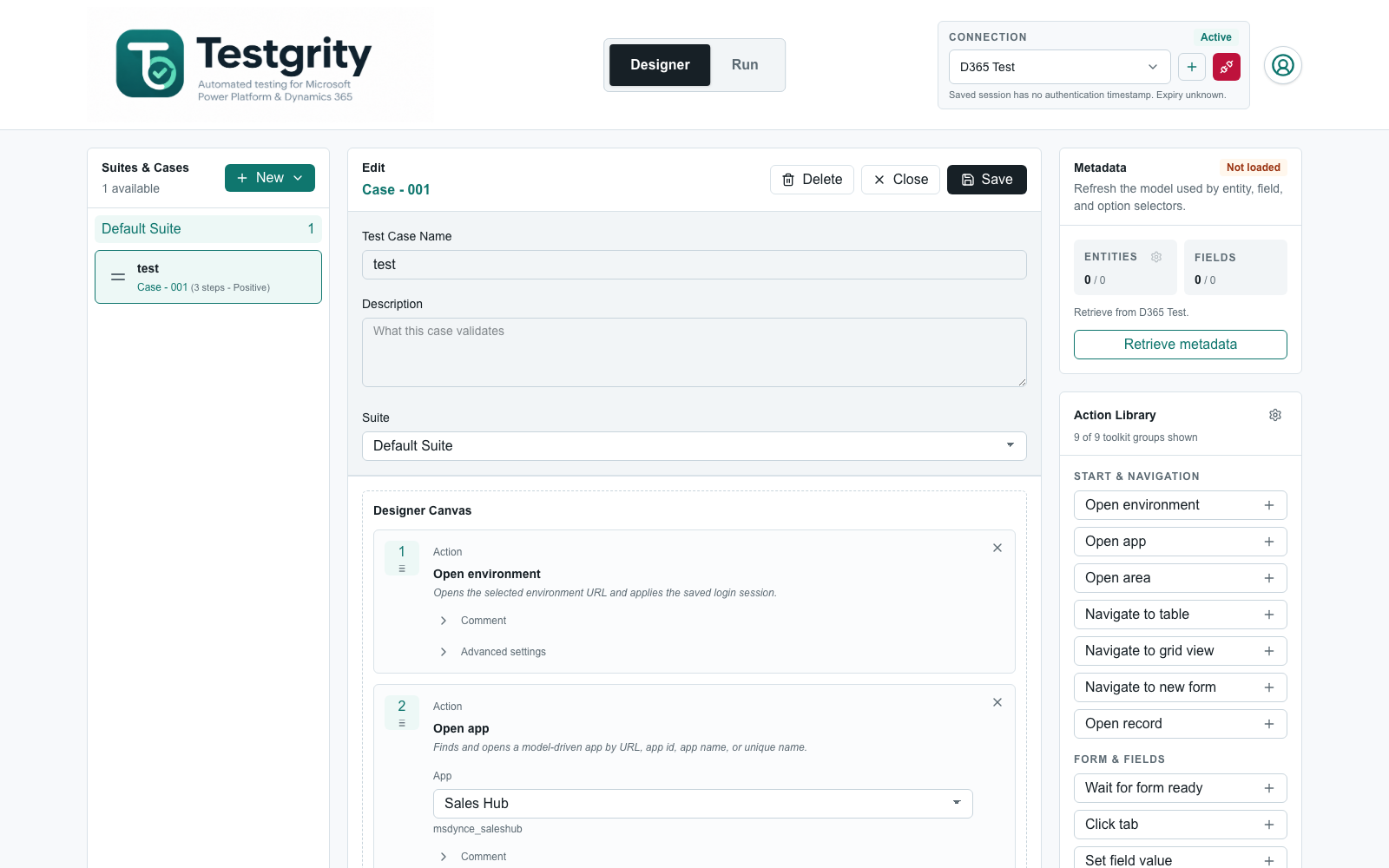
Capture supported clicks and field changes in Dynamics 365, then review the generated steps before saving.
Record real user journeys, refine them into Dataverse-aware tests, and run them in your browser, in the background, or on a schedule—with clear evidence when something breaks.

One workflow from test idea to release evidence
Purpose-built tooling for Dynamics 365 and model-driven Power Apps, from the first recorded action to scheduled execution and report delivery.
Capture supported clicks and field changes in Dynamics 365, then review the generated steps before saving.
Build reusable tests with metadata-backed apps, tables, fields, choices, and navigation targets.
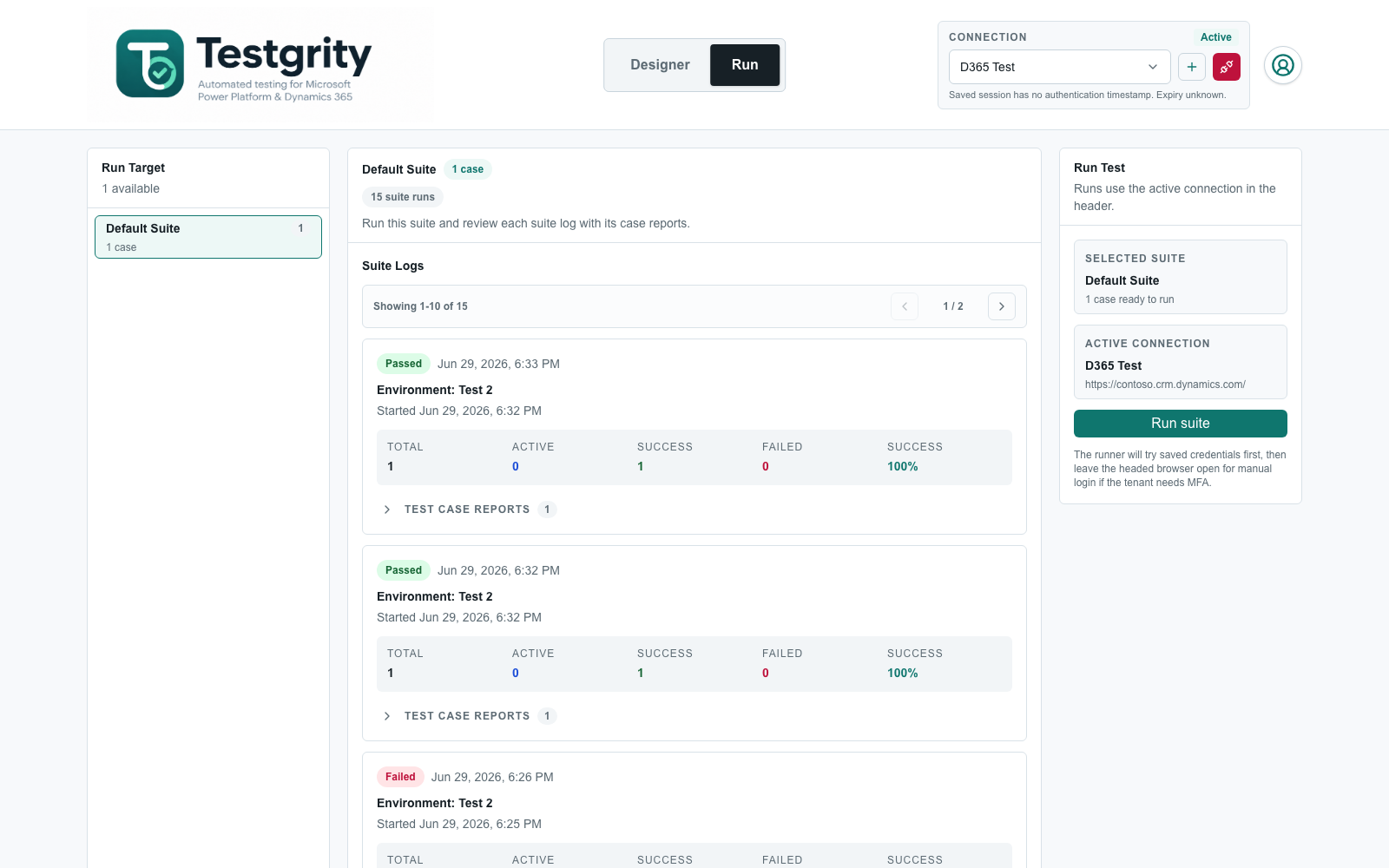
Use Browser mode for interactive sessions or Background mode for unattended execution, with live case and step progress.
See step outcomes and clear failure details, with configurable screenshots, video, traces, diagnostics, and reports.
Run saved test suites from GitHub Actions or Azure DevOps and automatically stop a release when tests fail.
Run tests with MFA and Conditional Access without weakening your organisation's security policies.
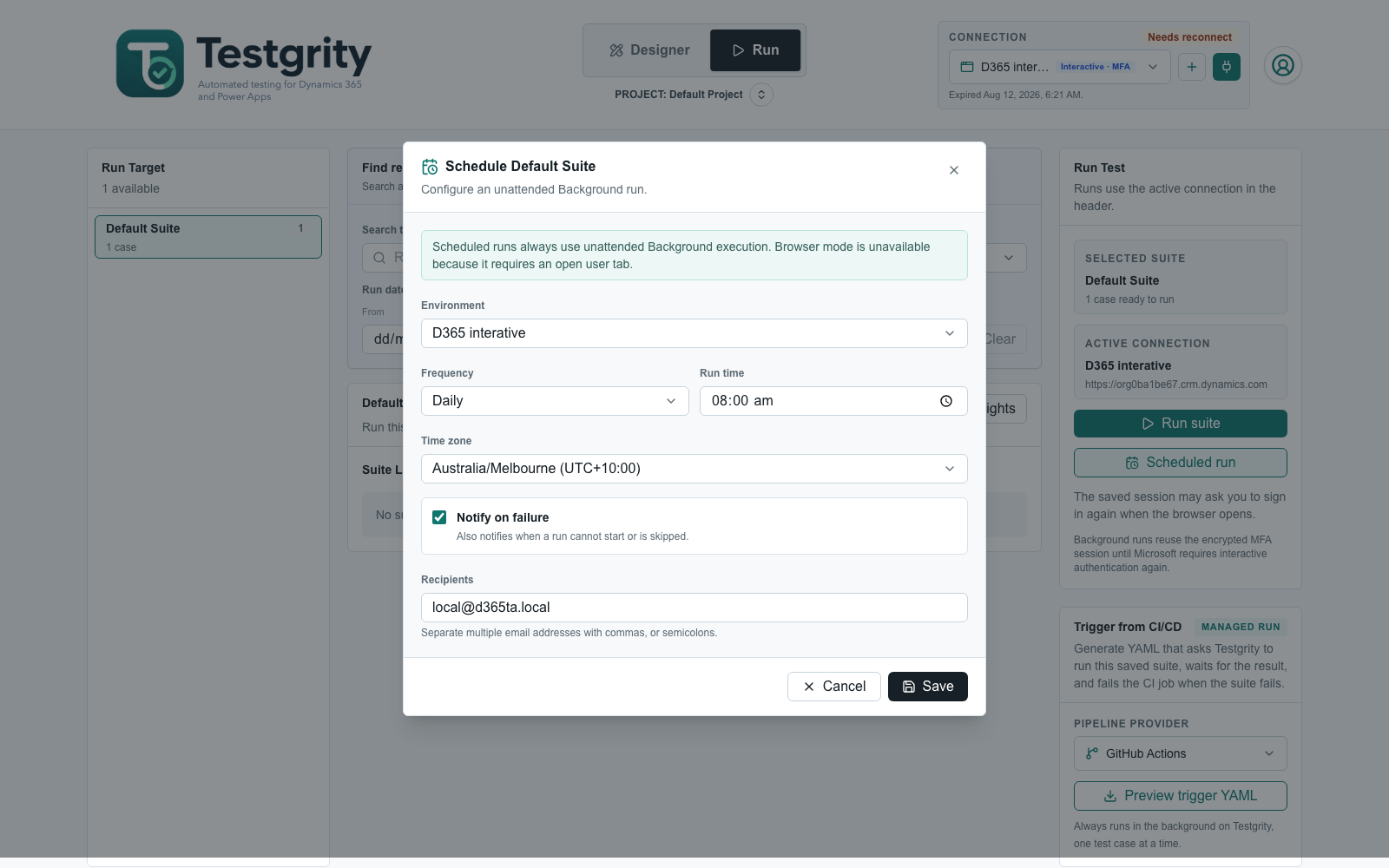
Run suites once, daily, or weekly in your chosen time zone, with execution history and optional failure notifications.
Email the latest completed suite report to selected recipients on a daily or weekly schedule.
Give testers, release managers, and developers one shared path from a business journey to a repeatable result.
See how to get startedRecord supported actions in Dynamics 365 or build a test step by step in the Designer.
Choose an environment, then run in your signed-in browser, in the background, or on an unattended schedule.
Follow live progress, inspect step-level evidence, and deliver the latest suite report on a daily or weekly schedule.
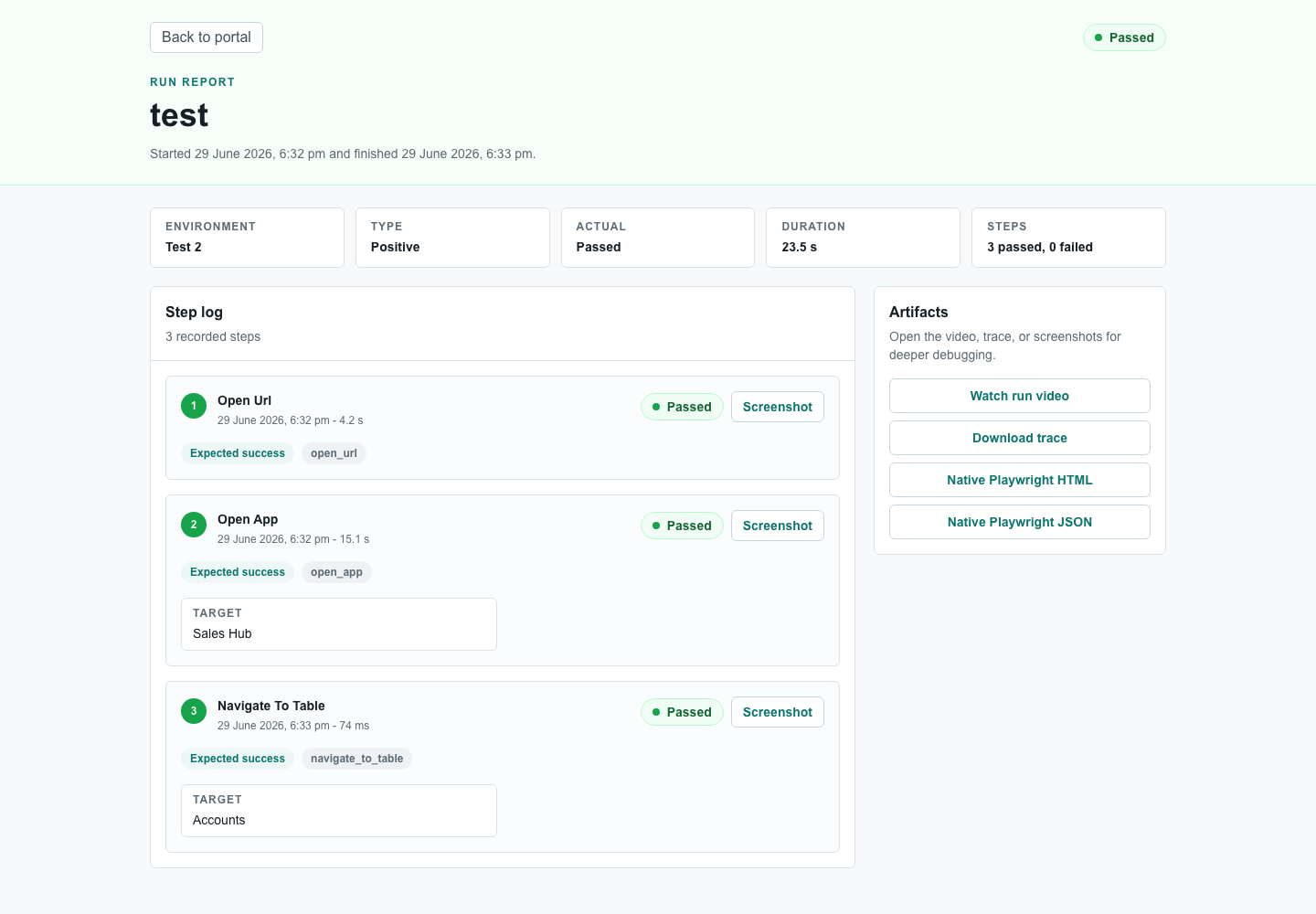
Testgrity keeps step outcomes, timing, targets, values, and error context together. Supporting evidence stays with the result, while scheduled emails keep stakeholders up to date.
Give your team shared structure around projects, environments, access, evidence, and release automation.
Keep people, projects, connections, tests, runs, and settings together in one organisation workspace.
Organise suites and environments by project, switch from the header, and return to the project you last opened.
Create scoped credentials for managed CI/CD runs, review their usage, and revoke them when needed.
Choose what evidence to capture and retain screenshots, videos, and diagnostics for 1, 7, 14, or 30 days.
Refresh Dataverse metadata after customisations and choose which tables and fields are available to authors.
When enabled, report an issue or share feedback without leaving Testgrity, with optional screenshots for context.
See what's ready to use today and where we're taking automated testing next.
Generate deterministic GitHub Actions or Azure DevOps YAML for running saved suites from your pipeline.
Create GitHub issues, Azure DevOps bugs, or Jira bugs from failed runs with reproduction steps and evidence.
Invite team members, manage workspace roles, and organise shared tests, environments, and runs by project.
Generate stakeholder-ready summaries with trends, quality insights, risks, and actionable test outcomes.
Run multiple tests or suites concurrently with configurable limits for faster feedback.
Schedule suite runs with failure notifications and deliver the latest report by email on a daily or weekly cadence.
Design, run, and review automated tests for Canvas Apps and Power Pages from the same workspace.
Sync manual test cases from external sources and turn them into reviewable automation drafts.
Describe a business scenario in plain language and generate validated test steps for review in the Designer.
Planned priorities may evolve during the private beta.
Build, run, and schedule your first Dynamics 365 or model-driven Power Apps test in Testgrity.